AI video editor vs AI video agent: what’s the difference?
The useful distinction is not how much AI a product advertises. It is whether you receive one output or delegate a bounded workflow that can react to what it finds.
Short answer
Short answer
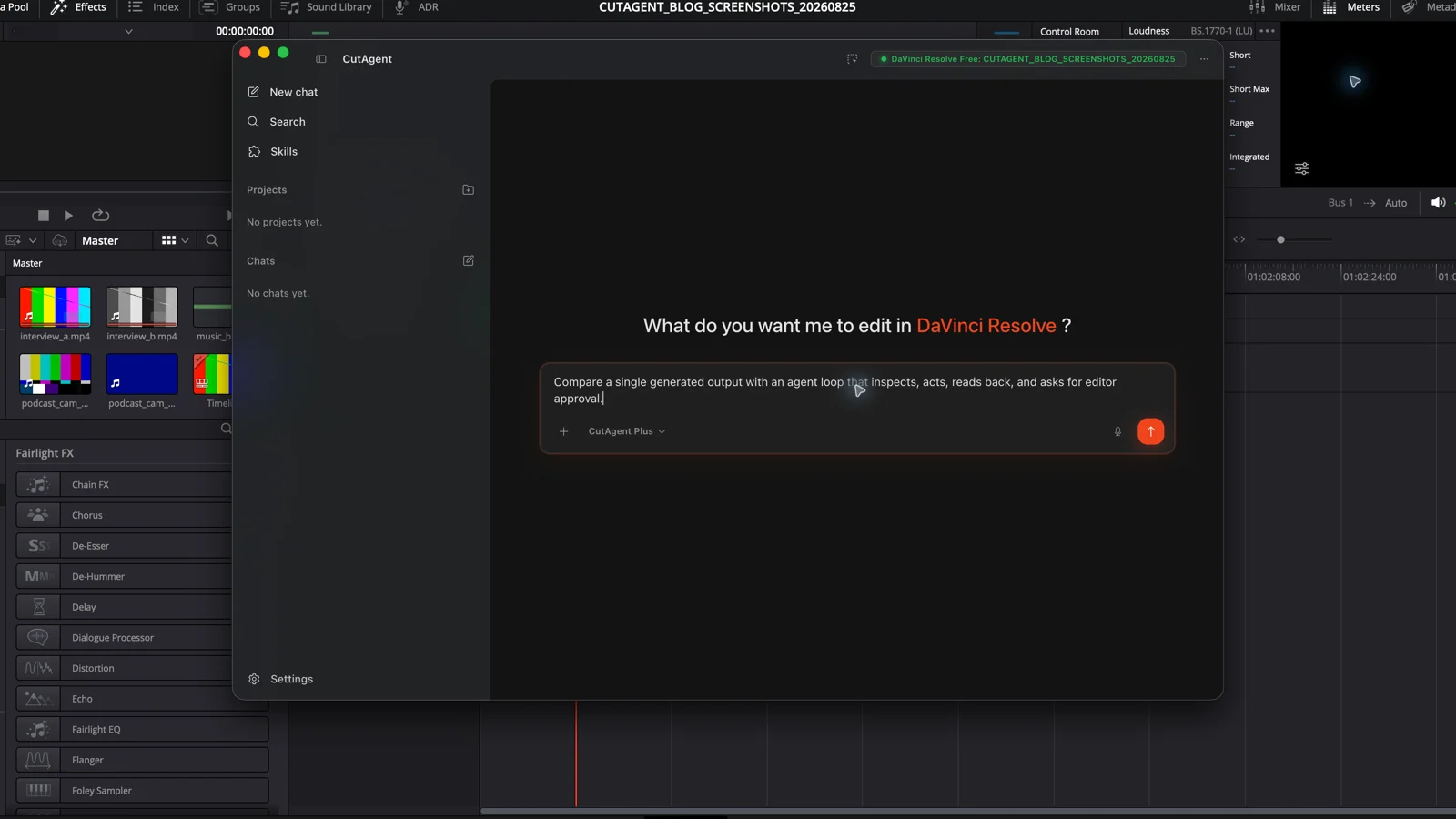
An AI video editor is software that uses AI to create, transform, or assist with an edit. It may transcribe dialogue, remove backgrounds, reframe shots, generate captions, or assemble a video from a prompt. An AI video agent is defined by its workflow behavior: it can interpret a goal, inspect relevant state, choose among approved tools, take several actions, observe the results, and continue, repair, stop, or ask for help. A product can be both. Choose an AI video editor for a contained operation or generated output; choose an agent when the job crosses steps and needs context, exceptions, and evidence. In both cases, the editor approves the creative result.
The shortest test is output versus loop
AI video editor is a broad product label, not a precise architecture. It can describe an editing application with AI features, a browser tool that generates a finished video, or a specialist that handles one operation. The common thread is the output: give the system media or a prompt and it returns an edit, asset, analysis, or suggested change.
An agent is easier to identify by its control loop. OpenAI's practical guide to building agents describes agents as systems in which a model manages workflow execution, selects tools, and recognizes when the task is complete or should return control. For editing, that means the system can inspect the active timeline, discover that a requested operation is unavailable or ambiguous, and change its next step rather than blindly producing the planned output.
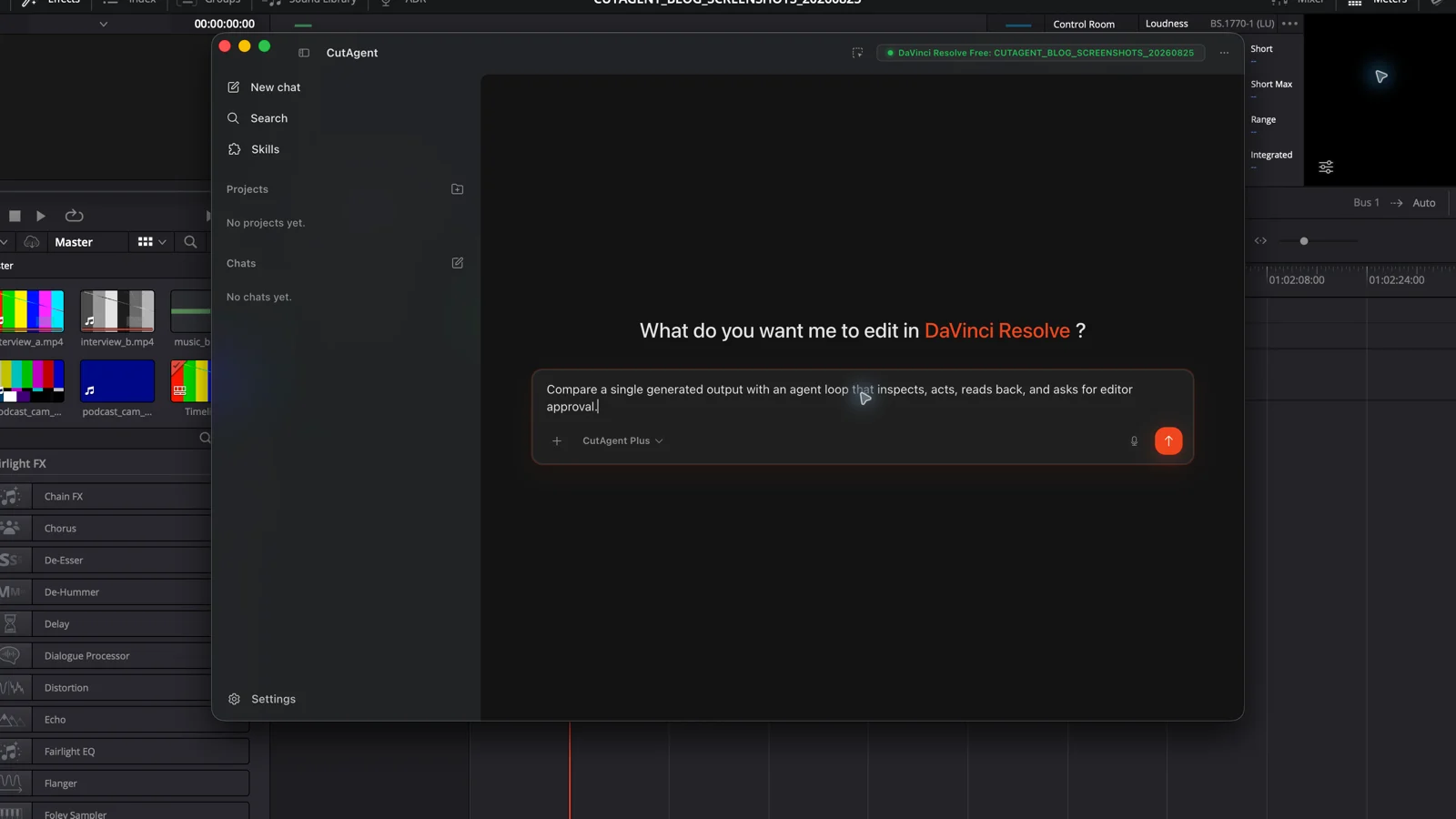
Compare behavior, not the label on the website
| Question | AI video editor | AI video agent |
|---|---|---|
| What starts the work? | A prompt, media upload, selected clip, or feature command | A goal with context, scope, permissions, and stop conditions |
| What does it control? | The operations built into that editor or feature | The approved tools exposed by its execution layer |
| Can it adapt? | Sometimes within the feature's parameters | Yes, by choosing the next approved step from observed results |
| Typical result | A transcript, caption track, reframed clip, generated asset, or assembled video | A sequence of project actions plus a report of what happened |
| Main failure | The output is technically complete but editorially wrong | The agent misunderstands scope, chooses the wrong tool, or continues after weak evidence |
| Review needed | Inspect the generated or changed media | Inspect target, actions, state evidence, and the picture or sound |
The categories overlap. DaVinci Resolve is a full editing application with specialized AI-assisted features. Blackmagic Design documents distinct Edit, Cut, Fusion, Color, Fairlight, Media, and Deliver pages, along with DaVinci AI Neural Engine features in DaVinci Resolve Studio. Those capabilities do not become an agent merely because they use AI. An external agent can call supported operations as part of a larger brief while DaVinci Resolve remains the editing application and source of project state.
Choose an AI video editor for a contained transformation
Use the editor or its built-in AI feature when the task has one obvious input, one defined operation, and an output you can inspect immediately. Transcribing an interview, tracking a mask, reframing a shot, cleaning a voice, or creating captions does not need an agent simply to sound more advanced. A focused tool usually exposes the controls that matter and keeps the operator close to the result.
- The relevant media is already selected and the operation is clear.
- You want to tune a specialist control while watching or listening to the output.
- The feature can complete the task without coordinating several project objects.
- A wrong result is visible and easy to undo or regenerate.
Do not add an agent to a deterministic action without a reason. A keyboard shortcut, preset, or native DaVinci Resolve control is the better interface when the editor already knows the exact operation. Extra planning and tool selection only add more places for the request to drift.
Choose an agent when the job crosses decisions and tools
An agent earns its place when the next step depends on live project state. Consider a client-notes pass: confirm the project and timeline, interpret each note against the correct frame rate, inspect existing markers, add only unambiguous changes, stop on conflicts, then report the created markers. The task is still bounded, but it cannot be reduced to one fixed feature call.
| Signal | Editing example | Required control |
|---|---|---|
| The target must be discovered | Find the active client-review timeline without touching the master | Inspect and confirm exact project objects before writing |
| The next step depends on a result | Create captions only after language, frame rate, and audio tracks are verified | Branch or stop when the observed state differs from the brief |
| Several operations form one job | Search a transcript, mark approved quotes, assemble a new selects timeline, and report source ranges | Keep scope and evidence consistent across the sequence |
| Exceptions are expected | Skip an offline clip and identify it rather than failing silently | Return control with a precise unresolved item |
| Completion needs proof | Confirm timeline name, item count, duration, and marker list after the write | Read back state and leave perceptual approval to the editor |
Agent does not mean unlimited autonomy. The useful setup narrows the available tools, protects valuable state, records what changed, and escalates choices with creative or delivery consequences. OpenAI's guide recommends human intervention for higher-risk actions and when the system exceeds failure thresholds. The same principle belongs in an edit suite.
CutAgent is a video agent working through an editor
CutAgent's public path is editor → natural-language brief in the desktop app → supported local DaVinci Resolve operations → verification summary → editor review in DaVinci Resolve. Its product page documents DaVinci Resolve 20 or later on macOS and Windows, including Free and Studio. Individual operations can still depend on the installed version, edition, media, and current project state.
Inspect the open DaVinci Resolve project without changing anything. Report the exact project name, active timeline name, frame rate, duration, offline-media count, and timeline marker count. Stop if any value cannot be read from live project state. If everything is available, propose one reversible marker action that would prove the connection, including its target, expected readback, and undo step. Do not execute it yet.
This prompt tests the difference directly. A conversational assistant can suggest what an inspection might find. A connected agent can retrieve the live values, recognize missing state, and prepare the next supported action without taking it. The separate AI agent for DaVinci Resolve guide explains the underlying components; the agentic video editing framework covers how to scale from inspection to higher-consequence work.
Use the smallest system that can finish the job safely
Start with the task, not the category. If one feature can produce the needed result and you can review it, use the feature. If the work requires live context, several supported operations, exception handling, and readback, use an agent with explicit limits. If the request asks the system to invent story, performance, rhythm, color, or mix decisions without a creative brief, improve the brief before choosing either tool.
- Name the exact output and the project objects it may affect.
- Count the decisions between the current state and that output.
- Use a focused AI editing feature when those decisions are contained inside one operation.
- Use an agent when later actions must change according to observed results.
- Match verification to consequence: state readback for mechanical changes, playback or render review for picture and sound.
The label matters less than the contract. Ask what the system can inspect, which tools it may use, how it reacts to failure, what evidence it returns, and where the editor approves the work. Those answers tell you whether you are buying an AI-powered editing output or delegating a workflow to an agent.
Sources and further reading
- A practical guide to building AI agents - OpenAI. Accessed August 25, 2026.
- DaVinci Resolve product and workspace overview - Blackmagic Design. Accessed August 25, 2026.
- DaVinci Resolve Studio features - Blackmagic Design. Accessed August 25, 2026.
- CutAgent product overview and compatibility FAQ - CutAgent. Accessed August 25, 2026.