DaVinci Resolve CLI: give your AI agent editing tools
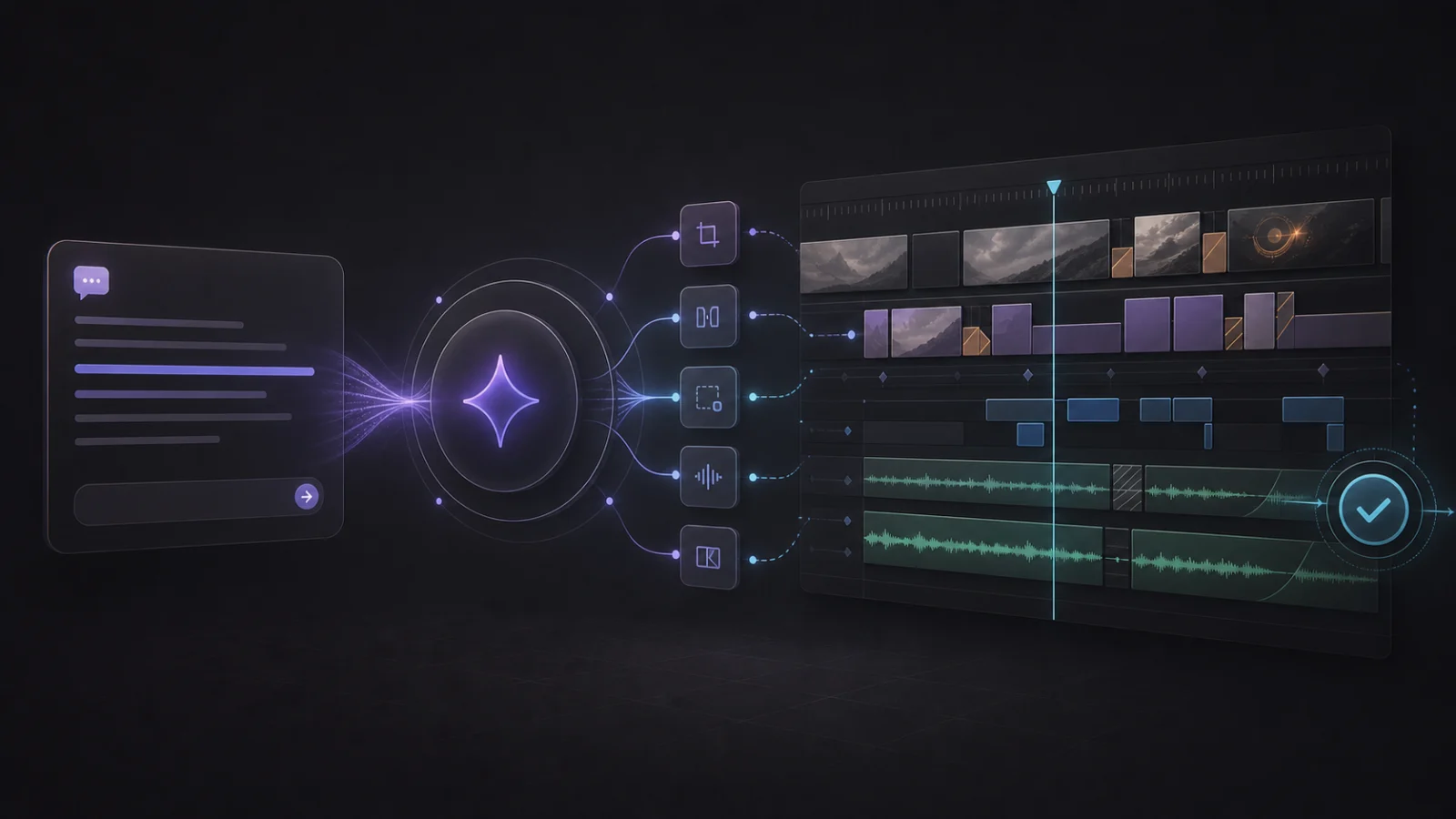
Tell Claude Code or Codex what to change. CutAgent CLI gives the agent the full CutAgent editing surface without loading hundreds of MCP tool schemas.
Short answer
Short answer
DaVinci Resolve does not include a general-purpose editing CLI. Blackmagic Design provides Python and Lua scripting for supported operations, with external scripting limited to DaVinci Resolve Studio. CutAgent CLI gives supported AI agents a structured command layer for reviewable edits in DaVinci Resolve 20 or later, including Free and Studio.
What is a DaVinci Resolve CLI?
DaVinci Resolve itself provides a scripting API and an in-app console, not a general editing CLI. External Python or Lua scripting is a DaVinci Resolve Studio feature. CutAgent CLI turns supported operations into named commands with clear inputs, machine-readable results, and errors an AI agent can act on; CutAgent also manages its own local connection route for DaVinci Resolve Free.
Developers may type commands while debugging an integration. Editors can skip the terminal. Say, “Check the active timeline, add review markers at these timecodes, and confirm they were created.” The agent handles the syntax.
| Layer | Job |
|---|---|
| Editor | Describes the edit and decides whether the result is right |
| AI agent | Reads the request, checks context, makes a plan, and chooses tools |
| CutAgent CLI | Turns the plan into structured DaVinci Resolve operations and returns results |
| DaVinci Resolve | Owns the project, timeline, media, effects, and render state |
How an AI agent uses CutAgent CLI
Before changing anything, the agent checks whether DaVinci Resolve is reachable, finds the active project and timeline, and asks CutAgent CLI which operations are available.
- The agent loads the CutAgent skill, which explains the available commands and their safety rules.
- It checks the local connection and reads the current project and timeline.
- It turns your request into the smallest set of supported operations.
- CutAgent CLI runs those operations against the local DaVinci Resolve session.
- The agent reads the structured result and verifies the changed state when the operation supports readback.
Check the open DaVinci Resolve project and active timeline. Make no changes. Tell me whether the connection is healthy, which timeline you found, and which relevant operations CutAgent CLI supports.
If the wrong project is open or the connection is unhealthy, this request finds the problem before a timeline changes.
Connect CutAgent CLI to Claude Code or Codex
Install the integration from the CutAgent desktop app. Open Settings, find Agent integrations, and choose Install agent support. CutAgent installs the cutagent launcher and the skill that teaches supported agents how to use it.
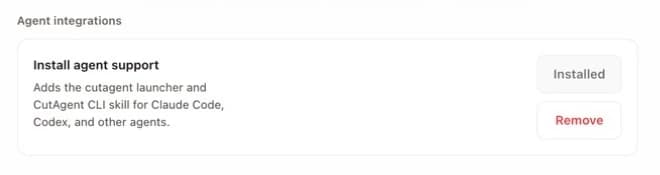
The current CutAgent product page documents setup for Claude Code and Codex on macOS and Windows with DaVinci Resolve 20 or later. Once installed, open your agent and describe the result you want. The terminal can stay out of sight.
On the active timeline, add a yellow timeline marker named “Cut point” at 01:00:08:00. Stop if the active project or timeline is ambiguous. After the change, verify that the marker exists and report its exact timecode.
Why an AI agent needs a CLI
An agent needs to know what operation ran, which project it affected, whether DaVinci Resolve accepted it, and what failed. CutAgent CLI returns those facts in a form the agent can read.
| Agent question | CLI answer |
|---|---|
| Am I connected to the intended DaVinci Resolve session? | Readiness and current-state checks |
| Can this setup perform the requested operation? | Live capability information |
| Did the operation succeed? | Structured success or error output |
| Did the timeline end up in the expected state? | Command-specific readback and verification where supported |
Blackmagic Design exposes Python and Lua scripting for supported parts of DaVinci Resolve. Its DaVinci Resolve 20.2 feature guide includes new API coverage for subtitle settings in render jobs and timeline or Media Pool clip names. CutAgent CLI packages supported operations into commands an agent can discover and check. Controls without a supported automation route still require work in DaVinci Resolve.
DaVinci Resolve CLI or MCP: which should an agent use?
Choose CutAgent CLI when the job is editing in DaVinci Resolve. MCP is a useful protocol for connecting agents to external systems. An MCP server still needs an implementation behind every tool it exposes; the protocol does not create editing coverage on its own.
CutAgent CLI is the editing surface CutAgent gives to agents. It has 100% parity with the commands CutAgent makes available to them. A separate MCP adapter reaches parity only if its author mirrors that entire surface and keeps it synchronized as commands, capability rules, errors, and verification behavior change.
| Question | CutAgent CLI | DaVinci Resolve MCP server |
|---|---|---|
| How much CutAgent coverage does the agent get? | The full supported CutAgent command surface | Only the tools the MCP server implements or wraps |
| What enters the model context? | One shell tool, then task-specific skill and command guidance | Tool names, descriptions, and JSON schemas; the amount depends on the client and its discovery strategy |
| What happens to token cost? | A broad editing surface usually needs fewer input tokens | Large preloaded schemas and intermediate tool results can cost more; progressive discovery can reduce the gap |
| Can the integration drift? | Commands, capability labels, and agent instructions ship together | A separate adapter must track changes in the editing backend |
| What does the agent need? | A supported local agent that can run the CutAgent launcher | An MCP-capable client plus server installation and configuration |
| Where is it the better fit? | Deep CutAgent automation across a DaVinci Resolve workflow | A standardized connection to a small, remote, or independently maintained tool set |
The MCP tools specification requires each tool to publish a description and input schema. That is useful for discovery, but a large tool catalog creates a lot of material for the model to process. The official MCP client best-practices guide warns that naively loading hundreds of tool definitions can consume most of a context window, increase latency, and waste tokens.
Modern MCP clients can use progressive discovery or programmatic tool calling to load fewer schemas and keep intermediate results out of the conversation. Those techniques narrow the difference. CutAgent CLI starts with that smaller footprint: the agent searches the command reference for the current job, runs the required commands, and brings back the result that matters. Fewer tokens to process can make a long editing session faster and cheaper, although the exact saving depends on the agent, model, prompt caching, and MCP client.
Does it work with DaVinci Resolve Free and Studio?
CutAgent supports DaVinci Resolve 20 or later in both Free and Studio editions. The connection route differs by edition. Blackmagic Design has confirmed that external scripting is a DaVinci Resolve Studio feature. CutAgent manages a local connection for DaVinci Resolve Free.
Feature availability still varies. An operation may depend on a DaVinci Resolve Studio feature even when the agent is connected correctly. Ask the agent to check live capabilities before it builds a plan.
Give the agent a brief it can verify
Name the target, the change, the boundary, and the check. “Fix my timeline” leaves the agent guessing. “On the active timeline, add these three review markers, change nothing else, then list the markers you created” gives it a job it can finish and prove.
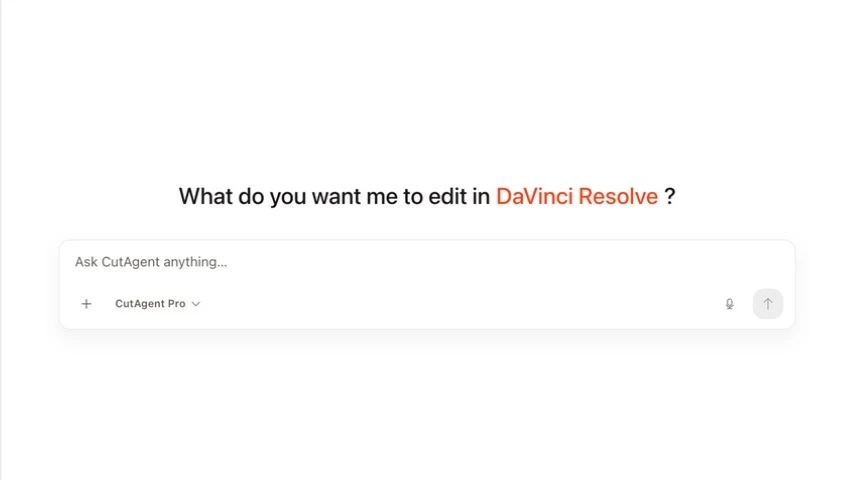
Creative judgment remains with the editor. The agent can execute a defined cut, marker pass, cleanup, or inspection and show its work. You still decide whether the pacing, performance, and story are right.
Start with the read-only prompt above. Then ask for one yellow marker at a known timecode. If the agent finds the right timeline, creates the marker, and reports the same timecode back, you have proved the full path without learning a command.
Sources and further reading
- CutAgent product page and agent-tool setup FAQ - CutAgent. Accessed July 19, 2026.
- DaVinci Resolve 20.2 new features guide - Blackmagic Design. Accessed July 19, 2026.
- DaVinci Resolve Studio scripting and automation features - Blackmagic Design. Accessed July 19, 2026.
- DaVinci Resolve support center and current documentation - Blackmagic Design. Accessed July 19, 2026.
- Tools specification - Model Context Protocol. Accessed July 19, 2026.
- Client best practices for progressive tool discovery and programmatic calling - Model Context Protocol. Accessed July 19, 2026.