DaVinci Resolve Python API: what editors should know
Python can remove repetitive project work when DaVinci Resolve exposes the right method. It cannot press every control, understand an editorial intention, or prove the result looks right.
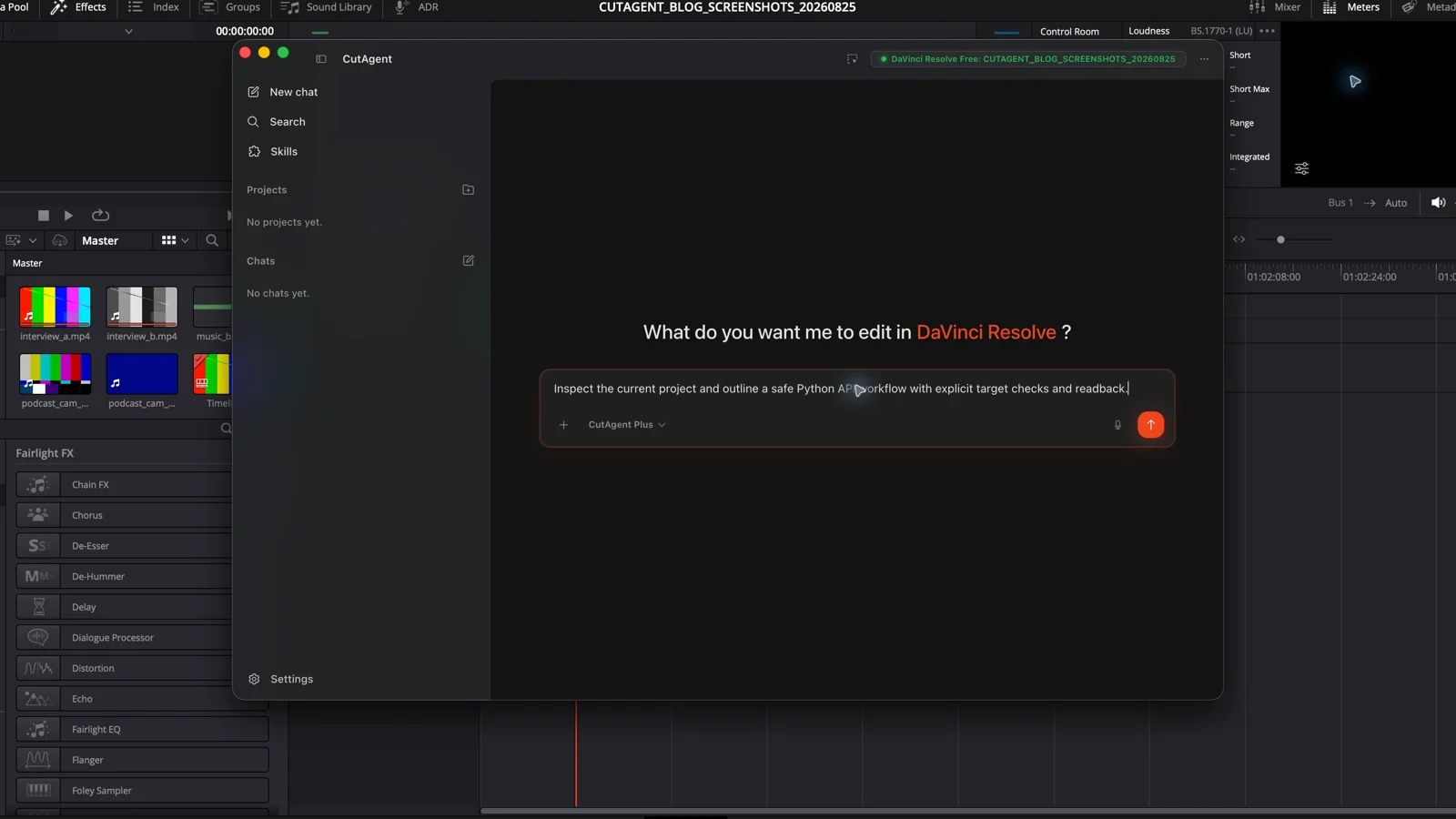
Short answer
Short answer
The DaVinci Resolve Python API lets a script inspect and automate supported parts of projects, Media Pool bins and clips, timelines, renders, and Fusion. It is useful for exact, repetitive jobs such as project setup, metadata handling, batch operations, and delivery preparation. It is not a complete remote control for every button in DaVinci Resolve. External scripting requires DaVinci Resolve Studio, API coverage changes by version, and every write still needs target checks and review inside the application.
The Python API is a supported control surface, not the whole application
An application programming interface is a set of named operations and objects that software can call. In DaVinci Resolve, a Python script can connect to the application, move through objects such as the project manager, current project, Media Pool, and timeline, then read or change state where Blackmagic Design exposes a method. Lua can use the same broad scripting surface.
The useful word is exposed. A control that exists in the interface does not automatically exist in the Python API. Blackmagic Design added support for setting timeline and Media Pool clip names and adding subtitles to render jobs in DaVinci Resolve 20.2. Those additions show that scripting coverage evolves feature by feature. Check the developer documentation for the exact installed version before promising an automation.
External scripting and in-app scripting are different paths
DaVinci Resolve includes developer documentation and scripting examples inside the application. Blackmagic Design directs users to Help, Documentation, Developer for the current API reference. Scripts can run from DaVinci Resolve's own scripting environment, while an external Python process connects from outside the application. Blackmagic Design identifies external scripting as a DaVinci Resolve Studio feature.
| Path | Where it starts | What the editor should check |
|---|---|---|
| In-app script | The DaVinci Resolve scripting menu or console | Installed script location, interpreter support, project state, and the methods available in this version |
| External script | A separate Python process that connects to a running DaVinci Resolve session | DaVinci Resolve Studio, external scripting preference, local or network exposure, and connection failure handling |
| Fusion script | Fusion's Python or Lua scripting environment | Whether the job concerns a composition, tool graph, title, or data-driven graphic rather than the wider edit |
Do not design around an old web snippet. Open the developer documentation installed with the target DaVinci Resolve version, use its examples as the starting point, and test on the same operating system and edition as production. A script that connects on one workstation can still fail on another because the preference, interpreter, installed version, project state, or requested method differs.
Good API jobs have exact inputs and cheap proof
The Python API is strongest when the job is repetitive, fully specified, and visible in project state. A script can apply the same naming rule to a known bin, create a defined project structure, inspect timeline properties, queue standardized renders, or feed approved data into a Fusion graphic. These tasks do not ask Python to decide which performance is best or whether a grade feels finished.
| Candidate task | Why it may fit | Required proof |
|---|---|---|
| Create bins and a known project structure | Names and hierarchy can be specified before the run | Read back the exact bin tree and confirm no existing bins were replaced |
| Normalize approved clip metadata or names | The source fields and naming rule are deterministic | Export or read back a before-and-after manifest, including skipped conflicts |
| Prepare render jobs from an approved preset | Timeline, range, preset, path, and filename can be explicit | Inspect each queued job and a sampled rendered file before delivery |
| Update data-driven Fusion graphics | The template and input data define the change | Check the affected tool values and review representative rendered frames |
| Choose interview performances or final pacing | It does not fit: the acceptance criteria depend on editorial judgment | An editor must make and review the decision |
Blackmagic Design gives a concrete Fusion example: Python or Lua can feed live data such as weather, scores, player statistics, or headlines into recurring graphics and renders. The value comes from the stable template and structured input. The script updates the known fields; the designer still owns the template and the producer still approves what goes to air.
Follow one safe request from brief to readback
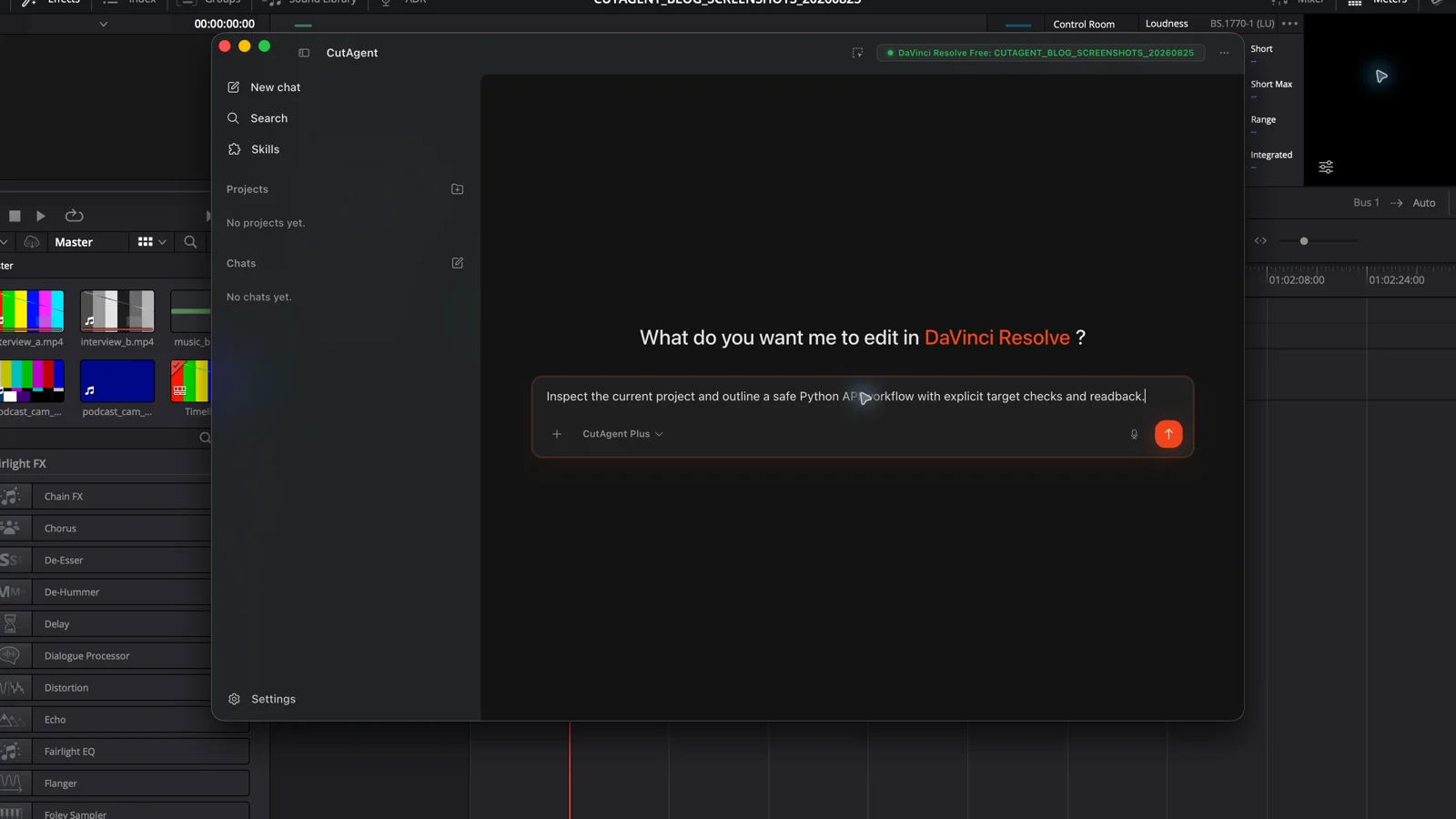
Suppose a post supervisor wants every clip in one delivery bin renamed from approved metadata. Before writing, the script should identify the open project, find the bin by an exact path or stable identifier, count the target clips, check that the required metadata exists, detect duplicate output names, and stop on ambiguity. Only then should it set names through a method documented for the installed version.
- Inspect: report the project, bin, candidate count, proposed names, missing fields, and collisions without changing anything.
- Approve: a person confirms the target and rule after seeing the dry-run manifest.
- Write: change only the approved clips and record the API result for every item.
- Read back: query the same clips again and compare their actual names with the manifest.
- Review: open the bin in DaVinci Resolve, sample the renamed clips, and preserve the manifest with the project notes.
Build a read-only first pass for the open project. Target only the Media Pool bin Deliveries/Approved. Propose clip names from the approved Scene, Shot, and Take metadata fields. Report missing fields, duplicate proposed names, the current and proposed name for every candidate, and the installed DaVinci Resolve version. Make no changes until the manifest is approved. On the write pass, stop on any project, bin, clip-count, or version mismatch, then read every changed name back.
Plan for partial coverage, missing state, and optimistic success
A Python call returning without an exception is weak evidence. The method may return a false or empty value, the active project may have changed, a render job may use an unintended preset, or the script may have updated a technically valid object that was not the editor's target. Build failure handling around the actual return contract and then query the affected state again.
- Pin and report the tested DaVinci Resolve version. Recheck the installed developer reference after an update.
- Treat no project, no timeline, missing media, missing method, and ambiguous names as stop conditions.
- Use explicit project, timeline, bin, clip, track, range, and output targets wherever the API permits.
- Keep inspection separate from mutation. Test writes on a duplicate timeline or disposable project before production.
- Verify project state through the API, then inspect picture, sound, graphics, or delivered files in the application.
- Keep external scripting limited to the intended machine or trusted network design. Do not enable wider access merely to make setup easier.
Decide whether you need code or a supported workflow layer
Write a direct Python integration when your team owns a stable, specific workflow that the current API exposes and you can maintain it across DaVinci Resolve releases. This is a reasonable fit for pipeline engineering, facility setup, recurring metadata exchange, and a controlled render system. Budget for version tests, logs, recovery, packaging, workstation setup, and documentation; the first successful script is only the prototype.
Most editors should not need to learn the object model to automate a timeline task. CutAgent is an AI-assisted desktop workflow layer for DaVinci Resolve 20 or later on macOS and Windows. The editor describes the task in the desktop app; CutAgent uses supported local operations, checks relevant state, and reports results for review. Some operations depend on version or edition, and DaVinci Resolve remains the source of project truth.
| Need | Better starting point |
|---|---|
| A facility-specific integration with engineering ownership and fixed data contracts | The documented DaVinci Resolve Python API |
| A reusable command surface for a supported external AI agent | CutAgent CLI, used by the agent rather than memorized by the editor |
| Natural-language work in the CutAgent desktop app | CutAgent's editor-facing workflow with explicit review |
| One operation already handled well in the interface | The native DaVinci Resolve control, preset, shortcut, or template |
The DaVinci Resolve CLI guide explains the agent tool path. For the wider question of which editing jobs deserve automation, use the DaVinci Resolve automation task guide.
Commission the smallest script that can prove its result
- Write the exact input, target, change, exclusions, stop conditions, and acceptance evidence.
- Confirm every required operation in the developer documentation installed with the production DaVinci Resolve version.
- Build a read-only inventory and dry-run manifest before allowing writes.
- Test expected failures as carefully as the happy path.
- Run the first mutation on a disposable project or duplicate timeline and preserve the result log.
- Review the actual project and output, then decide whether the maintenance cost justifies expanding the scope.
Start with one boring operation. If the script can identify its target, stop safely, make one exact change, and prove that change after a DaVinci Resolve update, it has earned a second task.
Sources and further reading
- DaVinci Resolve 20.2 New Features Guide - Blackmagic Design. Accessed August 25, 2026.
- DaVinci Resolve Fusion: scripting and automation - Blackmagic Design. Accessed August 25, 2026.
- DaVinci Resolve developer documentation and scripting reference - Blackmagic Design. Accessed August 25, 2026.
- Blackmagic Design product manager guidance on external scripting - Blackmagic Design Forum. Accessed August 25, 2026.
- DaVinci Resolve product overview and edition comparison - Blackmagic Design. Accessed August 25, 2026.
- CutAgent product overview and compatibility FAQ - CutAgent. Accessed August 25, 2026.