What is vibe editing for video editors?
A mood is a useful starting point and a terrible acceptance test. Professional vibe editing turns a loose creative direction into bounded timeline work, visible evidence, and an editor's final decision.
Short answer
Short answer
Vibe editing is informal shorthand for directing an AI-assisted video edit by describing the desired feeling or result in natural language, reviewing what the system produces, and refining it through feedback. It is not a standard, a named DaVinci Resolve feature, or permission to stop understanding the timeline. For professional work, the useful version converts the vibe into targets, references, protected elements, allowed changes, stop conditions, and evidence. The system can prepare or execute supported operations; the editor still decides whether the cut works.
The phrase is borrowed, not standardized
There is no canonical specification for vibe editing. Current uses cluster around conversational video tools, prompt-led revisions, and AI agents that act on a creative request. Different products use the phrase for different mechanisms, from generating a complete video to changing an existing timeline. Treat it as a description of an interaction style, not a capability claim.
The wording follows Andrej Karpathy's February 2025 description of vibe coding: state what you want, let an AI system produce an implementation, run it, and steer from the observed result. Applying that label to editing is an analogy. Karpathy's post defined a coding practice; it did not define video editing or a post-production standard.
Translate the vibe before touching the timeline
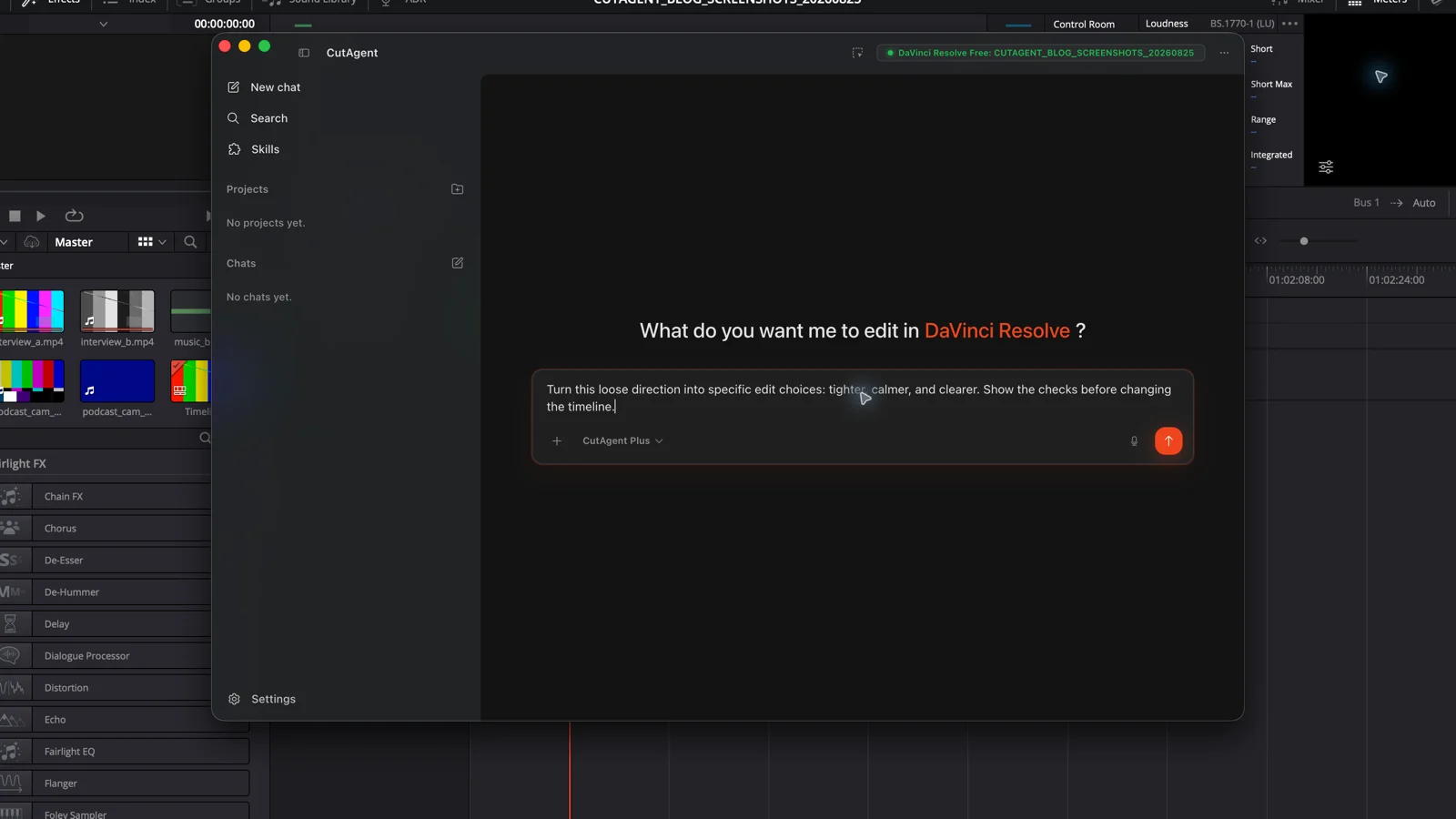
“Make it punchier” contains no target, threshold, or protected state. It might mean shorten pauses, start later, choose more assertive takes, raise music energy, add camera movement, or simply remove a weak setup. Those changes have different consequences. Ask for an interpretation first, then approve the narrowest test that could confirm it.
| Brief field | Question to answer | Example |
|---|---|---|
| Outcome | What should the audience feel or understand? | The product reveal should feel earned, then land quickly |
| Target | Which project object and range can change? | Timeline Launch film v07, opening through 00:00:38:00 |
| References | What visible or audible examples constrain taste? | Approved v04 pacing and the client-selected music cue |
| Protected state | What must survive the pass? | Spoken claim, sync, product close-up, grade, mix automation, and captions |
| Allowed moves | Which operations may the system propose or execute? | Trim dead air, reorder two approved reaction shots, and add review markers |
| Stop condition | Which uncertainty returns the decision to the editor? | Any line rewrite, missing media, continuity break, or unapproved alternate take |
| Acceptance evidence | What must be inspected before approval? | Change list, new duration, join timecodes, and playback of every altered transition |
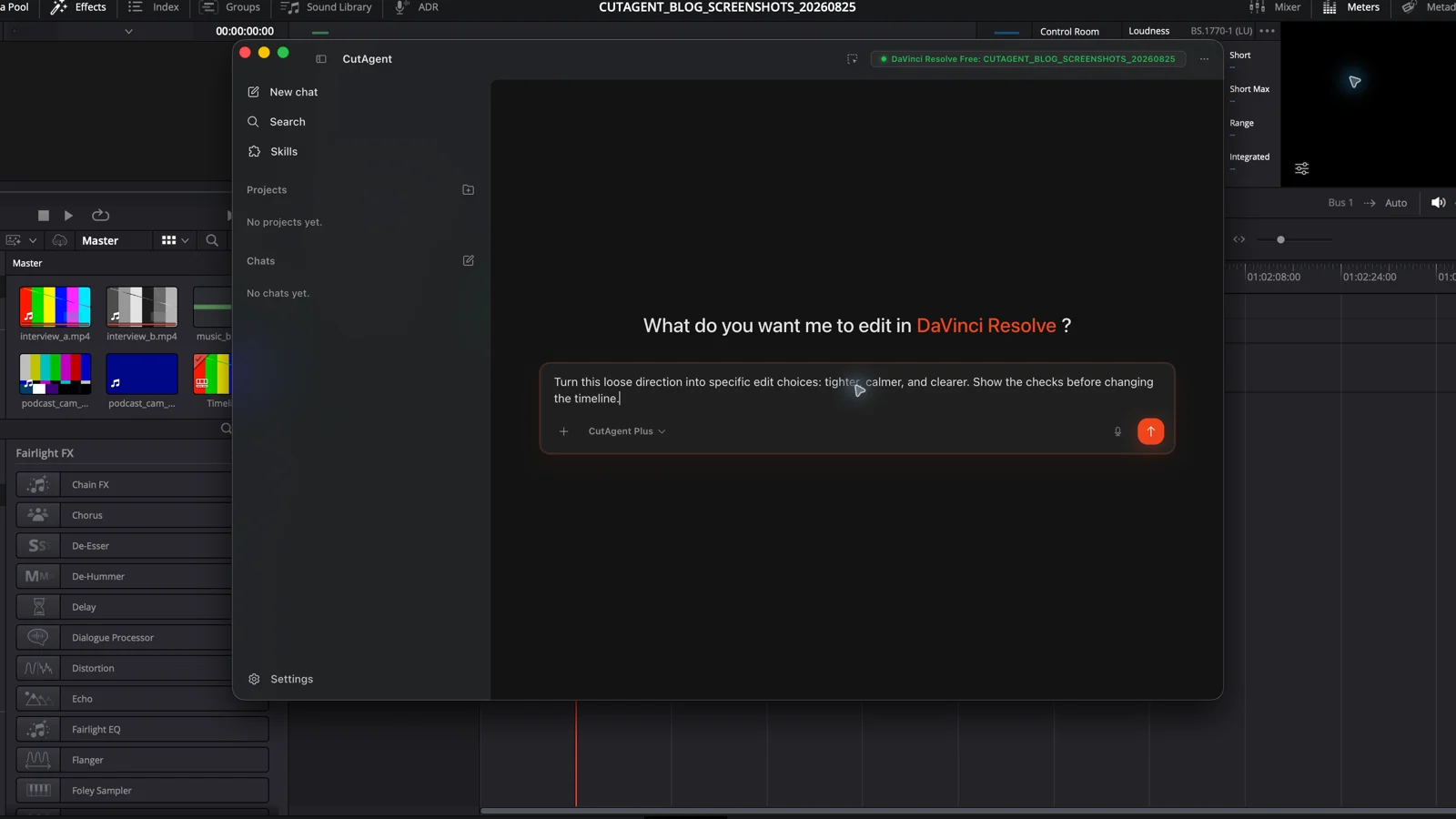
Inspect the active DaVinci Resolve timeline without changing it. I want the first 38 seconds to feel confident and quick, with the product reveal as the payoff. Preserve the spoken claim, sync, grade, mix automation, captions, and product close-up. Explain what ‘confident and quick’ could mean in this exact cut, identify any choice that depends on taste, and propose one reversible test pass. List the timeline range, allowed changes, stop conditions, and proof I should review before anything is applied.
The edit still lives in DaVinci Resolve
Blackmagic Design describes DaVinci Resolve as the application that owns editing, color, visual effects, motion graphics, audio post, and delivery. Its Edit page provides the timeline, trimming, media management, subtitles, effects, and keyframing used to judge an edit. Its specialized AI tools perform named operations. None of that turns an open-ended feeling into a trustworthy finished cut by itself.
With CutAgent, the product path is concrete: an editor describes the job in the desktop app; CutAgent interprets that request and uses supported local DaVinci Resolve operations; the editor inspects the resulting timeline, picture, and sound. CutAgent supports DaVinci Resolve 20 or later, Free and Studio, on macOS and Windows. Individual operations can still depend on the installed edition and available project state.
This boundary matters because a fluent response is not an edit. A useful system must resolve the correct project objects, report what it actually changed, and expose missing capabilities or ambiguous state. The editor should never have to infer success from confident prose.
Vibe editing fails in predictable ways
The biggest risk is semantic drift: the system makes a plausible edit that answers a different brief. A faster opening may become shorter but less clear. “Cinematic” may become a generic letterbox and slow motion. “Clean up the interview” may erase pauses that carry thought or emotion. The operation can succeed while the editorial result fails.
| Failure | What it looks like | Control |
|---|---|---|
| Ambiguous taste word | The system invents what punchy, premium, warm, or cinematic means | Attach a reference and translate the word into observable editing choices |
| Wrong scope | A useful rule is applied to the wrong timeline, range, tracks, or clips | Read back exact targets before the first write |
| Local optimization | A cut improves pace but breaks story logic, continuity, sync, or a later payoff | Review handles and downstream context, not only the changed range |
| Capability substitution | An unavailable operation is silently replaced with something merely similar | Require an explicit stop when the requested route or edition feature is unavailable |
| State-only success | Objects and values exist, but the picture or sound is poor | Pair machine-readable readback with playback or representative renders |
| Revision amnesia | A later prompt reverses an approved choice or edits protected work | Carry forward approved decisions, protected state, and the current revision name |
Use a two-layer review contract
First verify state. Confirm the project and timeline names, revision, changed clip ranges, track positions, marker list, duration, and any parameter the workflow was meant to set. This catches the wrong target, partial execution, and silent no-op.
Then verify experience. Watch every altered join with handles. Listen for breaths, room tone, music phrasing, intelligibility, and sync. Check graphics at delivery resolution, not only in a small viewer. Inspect downstream story beats when an early setup changed. A database value, tool response, or timeline count cannot prove any of those things.
- Start on a duplicate or clearly named review timeline when the change is structural.
- Run one reversible canary edit and read it back before expanding the batch.
- Review each changed join in context, including picture, dialogue, music, and captions.
- Compare the result with the brief and reference, not with the system's explanation.
- Accept, revise, or reject explicitly. Preserve the approved revision and a concise change record.
CutAgent's public terms for AI-assisted output make the final boundary clear: users are responsible for reviewing plans, tool calls, edits, transcripts, renders, exports, and other outputs before relying on them. That is not boilerplate to hide at the end of a workflow. It is the operating rule that keeps intent-led editing usable in production.
Use loose direction for exploration and tight briefs for consequences
Vibe-led requests work best when exploration is cheap: finding alternate selects, proposing a marker map, comparing openings, testing title directions, or making an isolated rough-cut variation. The system can surface options without pretending that one is objectively correct.
Tighten the contract as consequences rise. Ripple edits on an approved master, dialogue replacement, grade changes, audio processing, relinking, exports, uploads, and publication need exact scope and current authorization. Client taste, performance, comedy timing, factual meaning, music clearance, brand approval, and delivery acceptance remain human decisions even when a tool can execute the mechanics.
| Situation | Useful request style | Approval point |
|---|---|---|
| Read-only exploration | Loose intent plus the project or timeline to inspect | Before converting findings into writes |
| Reversible rough-cut test | Intent, reference, protected state, one target range, and proof | After the canary and before a larger pass |
| Approved-cut revision | Exact brief, named revision, allowed operations, stop conditions, and full review plan | Before execution and again before acceptance |
| Delivery or publication | Exact preset, filename, destination, authorization, and output checks | Immediately before the external action |
Keep the conversational interface; drop the casual standard
Natural language is valuable because editors can state story, rhythm, audience, and constraints in the terms they already use. The professional move is to make the system show its interpretation before it commits consequential changes.
Try one bounded pass in CutAgent: name the exact timeline and range, describe the intended effect, protect what already works, ask for a plan before changes, and require state evidence plus playback review. If the direction cannot survive that translation, it is still a mood board—not an editing instruction.
Sources and further reading
- Original post introducing vibe coding - Andrej Karpathy on X. Accessed August 25, 2026.
- DaVinci Resolve - Blackmagic Design. Accessed August 25, 2026.
- CutAgent — AI video editing for DaVinci Resolve - CutAgent. Accessed August 25, 2026.
- Terms of Service - CutAgent. Accessed August 25, 2026.